The essential answer
A Book Appointment button is a promise about the next step. Design it around the real scheduling process rather than assuming every practice needs a custom internal CRM.
Key takeaways
- 01Choose between call, request, real-time booking and portal with explicit language.
- 02Prefer established approved tools to a new custom database unless a business case exists.
- 03Test appointment UX from mobile and with keyboard navigation.
- 04Treat upload forms and free-text health fields as privacy-sensitive design decisions.
SECTION 01
Four different actions often get labeled “Book”
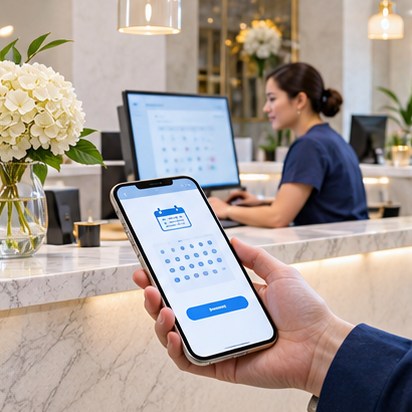
A telephone call connects the patient to staff. An appointment request submits contact details for later follow-up. Real-time booking reserves a time slot in an existing schedule. A portal action requires an account and may display health information. These are distinct workflows and should not share the same confirmation language.
If the practice only receives a request, the CTA can say “Request an Appointment” and the success message should explain when someone will respond. If an external vendor confirms appointments, link to that verified system with the correct location and visit type preselected when supported.
- Call the office → phone number and hours
- Request a visit → secure request and response expectation
- Reserve a time → verified real-time availability
- Manage care → approved authenticated patient portal
SECTION 02
Make handoffs easy to understand
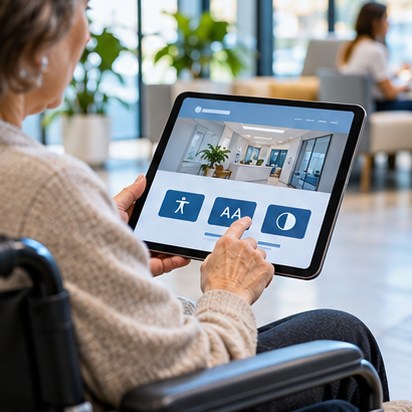
Explain when patients leave the studio-designed website to open the practice’s booking vendor. Avoid popups that hide the vendor identity or ambiguous links that suddenly open a new location. Confirm the handoff works on small phones, slow connections and accessible browsers.
The booking button should be consistent in the hero, service pages and contact route, but its destination may depend on the service. A patient seeking imaging, urgent care or follow-up may need different instructions, not one universal funnel.
SECTION 03
Do not convert a marketing form into a patient chart
Public contact forms frequently begin with name, email and phone, then grow into fields for symptoms, medications and uploaded documents. That scope shift can create major privacy and security requirements. Inventory the data first, determine where it will travel and ask the practice to approve the plan.
When possible, distribute approved preparation instructions as accessible PDFs and send patient submissions to an established secure system. Never store identifiable clinical documents in a generic web inquiry table simply because a form builder makes uploads easy.
Field checklist
- Required fields minimized
- Appropriate data processor and agreements evaluated
- Sensitive data excluded from analytics and URLs
- Confirmation language reviewed
- Deletion and access workflows defined
SECTION 04
The first-visit page is an operational tool
The new-patient experience should answer what to bring, how early to arrive, which insurance information is helpful, how to send existing records using an approved process, and how the practice handles cancellations. Each instruction must be practice-approved and maintained by staff.
A document library should specify whether forms are to be printed or uploaded via a secure portal. Do not ask patients to email completed medical history forms through a general contact channel unless the practice has approved a secure workflow.
SECTION 05
Test real cases rather than happy-path screenshots
Test an existing patient, a first-time visitor, a person with a screen reader, a visitor needing a different language, and someone arriving after hours. Verify that the booking tool opens and that it does not show an unrelated practice. A visual mockup is not evidence of operational readiness.
Track legitimate handoff errors without collecting diagnosis or other sensitive data into unapproved systems. Maintain a simple incident owner and a verified fallback number.
SECTION 06
Document responsibility at launch
Identify who owns booking vendor credentials, who updates providers and availability, who receives appointment requests, and who controls the domain. These are operational controls. They should survive agency changes and staff turnover.
If a clinic later commissions a custom booking CRM, treat it as a separately scoped software project with its own security assessment, data agreements and acceptance tests.
Sources & further reading
External sources support the attributed statements above. Links may change; always check their current wording and effective date.